The right delivery fee for each address
Set a delivery fee for every area you deliver to, and a minimum order when you want one. Online ordering and the POS use the customer's address to apply the right ones.
Delivery zones give each area you deliver to its own fee, and a minimum order when you set one.
A nearby street can stay easy to order from. A further one can ask for a little more before a driver goes out. The customer sees the charge that matches where they are.
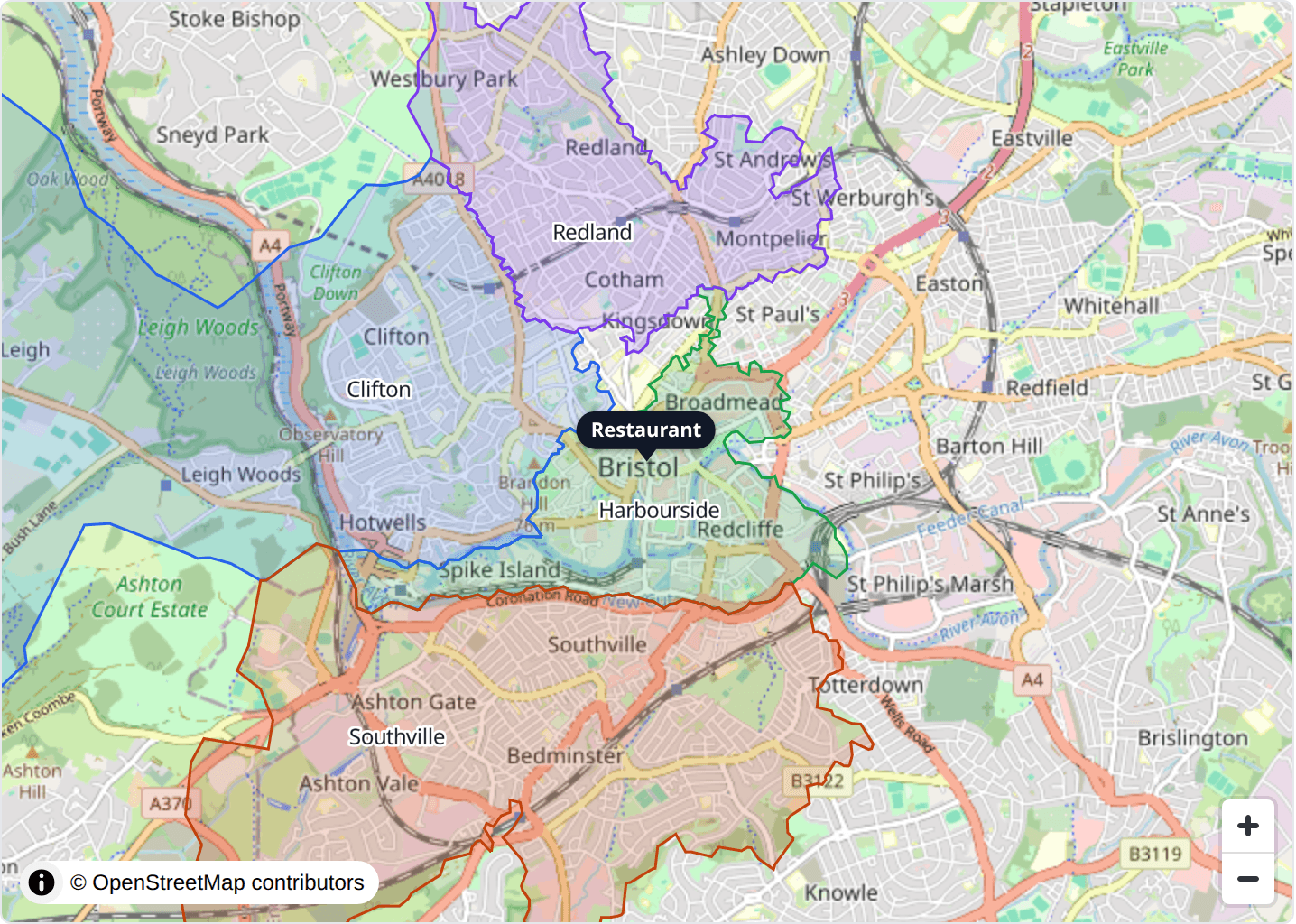
Draw the areas, or start from postcodes
You can draw a zone on the map and shape it to the streets you actually serve.
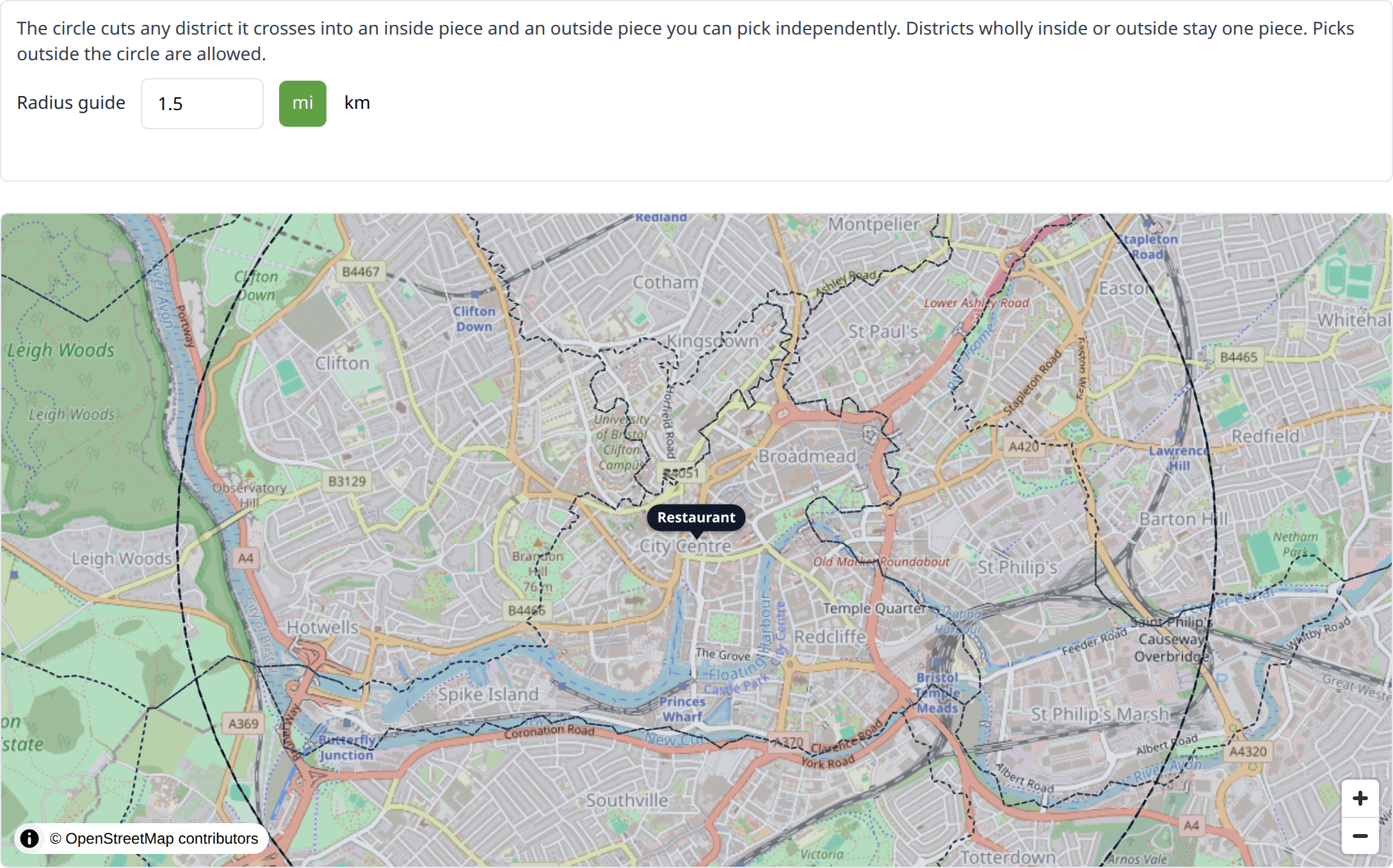
You can also build zones from UK postcode districts. A radius guide draws a circle around the restaurant at the distance you choose, and you pick the districts you want to include. Where the circle cuts through a district, you can take the part that falls inside.
A fee for every zone
Each zone has its own delivery fee. A minimum order is optional, and it can differ from zone to zone. A close area can stay inexpensive, while a wider one asks for more on the order.
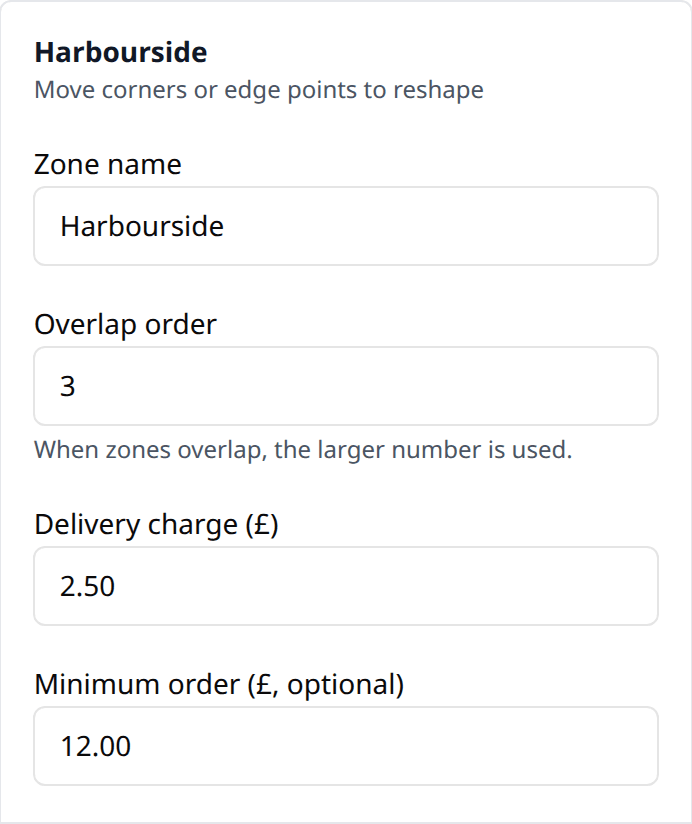
When two zones cover the same address, the overlap order on the zone decides which fee applies. The larger number wins, so a smaller inner area can keep its own charge.
The charge follows the address
On the POS, and when a customer orders online, the fee and the minimum come from the address on the order.
Staff can still accept a POS order for an address outside every zone. That delivery is charged your usual fee and minimum, so a regular who lives just past the boundary can still place the order.
Available by request
Want this switched on sooner?
Delivery zones are rolling out gradually. If you would like them for your restaurant, get in touch and we can switch them on for you.